Required
A clear topic or audience, such as personal finance, history, motivation, recipes, or storytelling.
A focused subject makes the script and visual direction more consistent.
Quick definition
A faceless reels app is a video creation tool that helps you plan, produce, and prepare short vertical videos without appearing on camera. This guide explains what is faceless reels app, how the workflow fits together, and where human judgment still matters.

Start with the basics
The simplest definition is a workspace for making short-form videos built around narration, captions, visuals, music, or animation instead of a visible presenter.
A focused subject makes the script and visual direction more consistent.
The brief can be simple; one useful sentence is enough to begin.
Use assets you own, licensed media, or original generated material.
Automation can assemble a draft, but it does not replace editorial judgment.
You can use faceless reels to experiment before choosing a permanent niche.
The basic workflow
Most faceless reels workflows turn a compact idea into a sequence of scenes, then give you a draft to review and refine before publishing.
Enter a topic, hook, or outline such as “three overlooked habits that improve morning focus.” The clearer the intended audience and outcome, the more useful the first draft will be.
The app can organize a script, suggest scene timing, pair narration with visuals, add captions, and shape the result for a vertical short-video format. Different tools automate different parts of this process.
Check every claim, replace weak visuals, adjust the opening seconds, and make sure captions remain readable on a phone. Export or send the finished draft to your chosen social channel.
Continue exploring
Faceless reels are useful for creators who want a repeatable short-video format without making their own face the center of every post. The best fit depends on your content, comfort level, and editing time.
Choose the right format
A faceless reels app can remove much of the repetitive production work, but it cannot decide what is true, useful, original, or appropriate for your audience without your input.
1
Use narration, screen recordings, stock or generated visuals, kinetic text, illustrations, or product footage to carry the story.
The format keeps attention on the idea and can make a repeatable content system easier to manage.
2
Start with a brief, let the tool assemble a draft, then spend your time improving the hook, examples, pacing, and final call to action.
Automation is most valuable when it reduces routine assembly rather than replacing your point of view.
3
Add qualified review, original reporting, direct demonstrations, or an on-camera presence where trust and nuance are central.
Faceless reels can present information clearly, but polished visuals do not guarantee accuracy or credibility.
See the difference
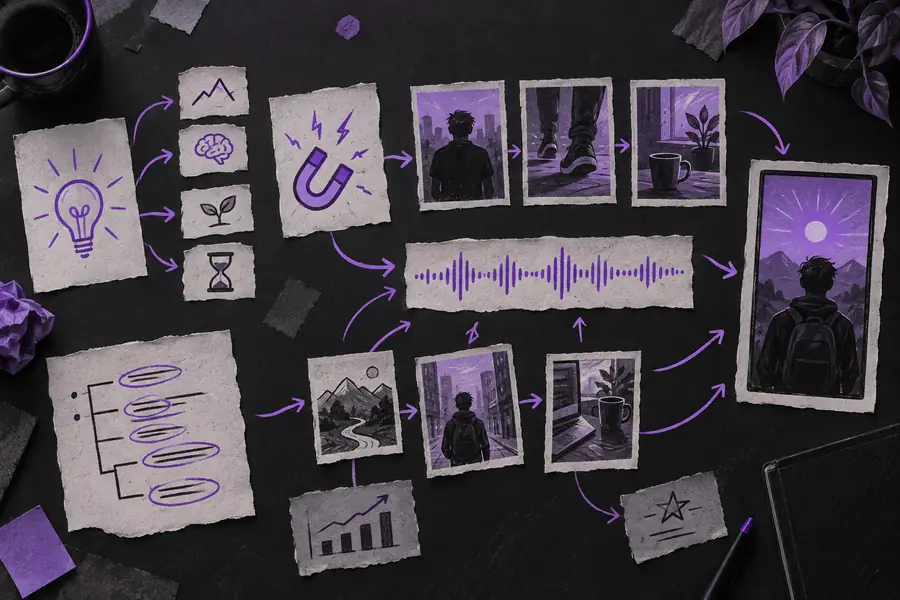

The transformation is not magic: a useful result comes from a clear brief, coherent visuals, readable captions, and a careful final review. A strong faceless reels app speeds up the path between those stages, while the creator remains responsible for the message.
Common questions
These answers cover the basic meaning of the term and the practical limits of this type of video tool.
It is used to create short vertical videos without requiring the creator to appear on camera. Depending on the tool, it may help with ideas, scripts, narration, visuals, captions, editing, and export preparation.
Some tools can automate a large part of the first draft, but the exact workflow varies. You should still review the script, verify claims, check asset rights, and adjust the pacing before publishing.
Usually, no advanced editing background is required to create an initial draft. Basic judgment about topics, audience, captions, sound, and visual quality is still important if you want the faceless reels to feel intentional.
You can use one for many topics, including education, stories, motivation, product explainers, commentary, and demonstrations. Sensitive subjects require extra care because generated narration or visuals may oversimplify details or present errors.
No. It is a production tool, not necessarily the place where your audience watches the finished video. You may create the faceless reels in the app and then publish them on a compatible social channel after reviewing the export.